
Our Courses
Practical knowledge from the lab – the same technology we deliver to our customers.
4G/5G Architecture & eNB/gNB Testing
How 4G and 5G networks are built – and how you test base stations against a core network in the lab.
- 90 minutes of video (2 × 45 min), within 2 days
- Then 2 days access to the online demo
- Certificate with your name from eCoreSeven
FRMCS & MCX in Practice
FRMCS from the basics to the details – and MCPTT, MCData and MCVideo tried out yourself in the online MCX demo.
- 90 minutes of video (2 × 45 min), within 2 days
- Lesson 3: 2 days practice in the online MCX demo
- Certificate with your name from eCoreSeven
From the Network to Mission-Critical
Course 1 and Course 2 together – from the 4G/5G basics to FRMCS and MCX.
- Course 1 and Course 2, one after the other
- Each: 90 minutes of video, then 2 days in the online demo
- Two certificates with your name from eCoreSeven
Prices in EUR, excluding VAT. Payment by credit card. Team bookings on request.
How It Works
From your order to your certificate in six steps.
4G/5G Architecture & eNB/gNB Testing
For test and integration engineers, radio and network engineers, and technical project managers who work with LTE and 5G equipment.
How 4G and 5G networks are built
- From LTE to 5G: what changed and why
- Radio access: eNB, gNB, CU/DU split, NSA and SA
- 4G core (EPC): MME, SGW, PGW, HSS
- 5G core: AMF, SMF, UPF, AUSF, UDM, PCF, NRF and the service-based architecture
- Interfaces: S1, X2, NG, Xn – what runs over each of them
- Registration, PDU session, mobility and handover step by step
- Voice: IMS, VoLTE and VoNR
Testing eNB and gNB in the lab
- The test setup: base station, core emulator, test phones
- Bring-up: S1 and NG setup between base station and core
- Functional tests: attach and registration, data sessions, handover
- Voice tests over IMS: VoLTE and VoNR calls
- Performance: throughput, latency, capacity and stability
- Reading the signalling: NAS, S1AP and NGAP traces
- Test plan, KPIs and a clear test report
FRMCS & MCX in Practice
For railway operators, on-board and trackside equipment vendors, integrators and test labs preparing for FRMCS.
FRMCS – the basics
- From GSM-R to FRMCS: why the railway needs a new radio system
- Standards: 3GPP, ETSI and the UIC FRMCS specifications
- FRMCS architecture: on-board, radio access, 5G core and applications
- The on-board gateway, multiple radios and multipath
- Applications: voice, data, video and train control
- Priorities and quality of service for critical communication
- Migration and coexistence with GSM-R
MCX in depth – and hands-on
- MCPTT: private and group calls (TS 24.379)
- Floor control: request, grant, queue and priority (TS 24.380)
- MCData: short messages and file distribution (TS 24.282)
- MCVideo: video calls and transmission control (TS 24.281 / 24.581)
- KPIs per TS 22.179: access time, end-to-end access, mouth-to-ear
- Handover and failover on the train: what the user notices
- How to test and validate an FRMCS MCX system
Explore the online MCX demo
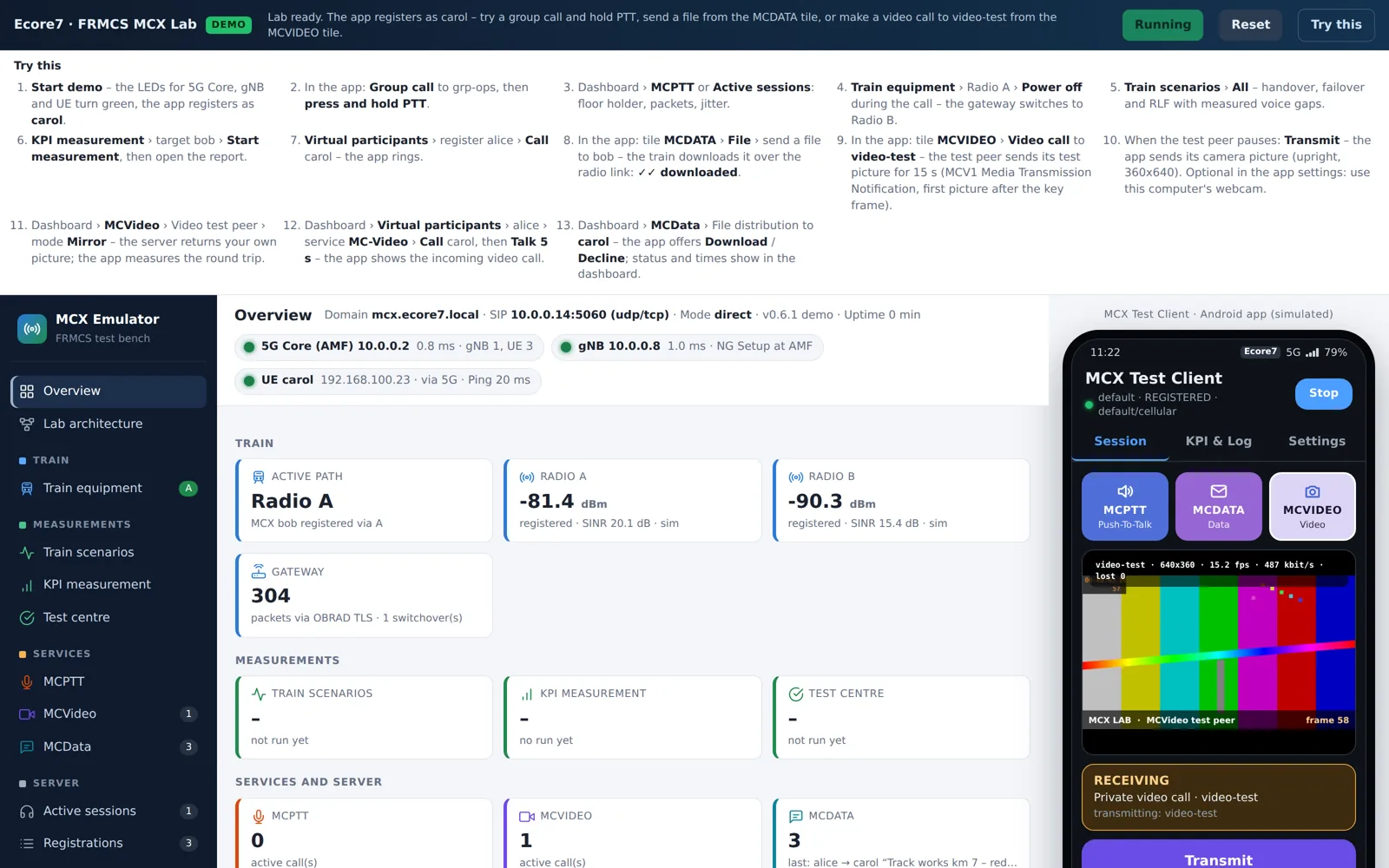
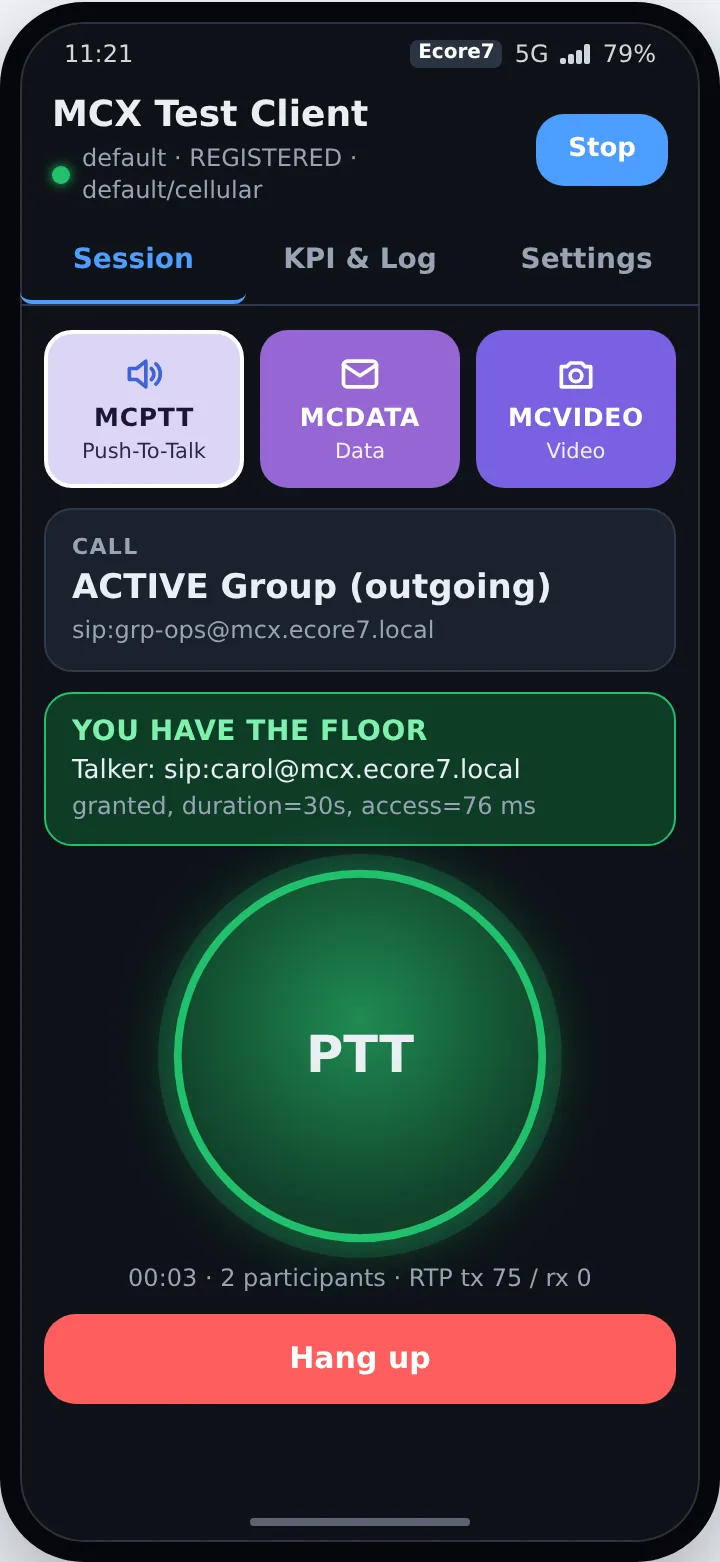
The final lesson turns the architecture into hands-on learning. In the online MCX demo you see how an action in the client changes the state of the communication services – and you connect each observation with the component responsible for it.
- Open the demo with the personal access you receive from us. Use only synthetic users, messages and harmless files.
- Voice: start a push-to-talk call – request the floor, observe the active talker, release the floor.
- Data: send a message or a file – compare acceptance by the server with delivery and download.
- Video: compare the permission to transmit with the first visible picture.
- Explore freely: for example switch off a train radio during a call or run a KPI measurement. Compare before and after, and explain the result: client, service platform or simulated transport?
- Press “Finished”: tell us one experiment, one observation and one question or improvement – and optionally rate the training.
The demo is a simulation for learning – not an operational railway network and not a substitute for radio conformance testing. Its values are not measurements of real equipment.
Your Certificate from eCoreSeven
Each course ends in the portal: after the video and the 2 days in the online demo you press “Finished” and answer three short questions. Your certificate is created at once as a PDF – with the name you entered when ordering.
The certificate shows
- Your name
- Course title and content
- Date of completion
- A unique certificate number
- Issued by eCoreSeven
Frequently Asked Questions
Questions or Team Booking?
For a single participant, use “Order now” above. For questions or a team, write to us – we reply within 24 hours.